Every tool that puts a model behind a prompt box has the same failure mode. You ask for a settings screen, you get something that looks like a settings screen, and you only find out it is wrong when you try to use it: the secondary text is grey-on-grey, the third card overflows at phone width, the type scale has eleven sizes in it because the model invented one per section.
The result looked finished. Nothing in the tool had an opinion about whether it was.
1DesignTool has a component whose entire job is to have that opinion, and to be allowed to lose you the run. It is called the design kit, and the part that matters is the gate.
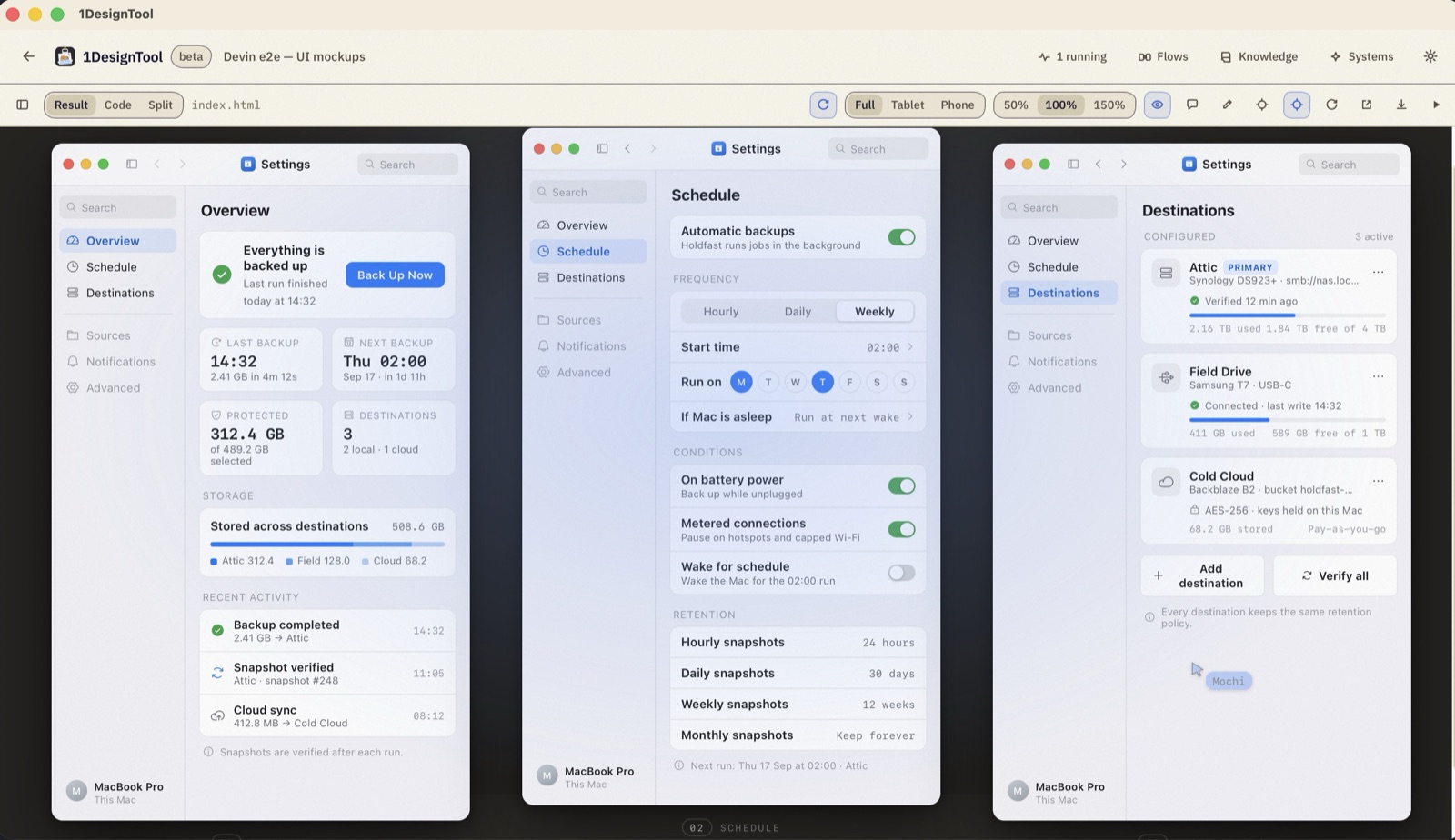
First, a direction — not a guess
Before the agent writes anything, a run picks a visual direction: thirteen ship with the app, and each one is a small design system rather than a mood. Generated tokens. A signature move the design is built around. Rules with numbers in them — this many type sizes, this spacing scale, this contrast floor.
This is the difference between "make it look modern" and a brief an agent can actually satisfy. The agent designs inside a system it was handed, instead of improvising one per section and leaving you to notice the seams.
Then the gate runs, and it can fail
When the agent says it is done, the kit checks the claim. Five lines, and they either pass or the run is not finished:
$ design-kit gate index.html --type slides
plan      design-plan.md found · 7 decisions          PASS
lint      0 hard-coded colors · 0 off-scale sizes     PASS
audit     1440×900 + 390×844 · no overflow, ≥ 12px    PASS
contrast  9/9 text pairs ≥ 4.5:1                      PASS
contact   8 frames · first frame non-blank            PASS
Read what those actually assert:
- plan — there is a written design plan with decisions in it, not a pile of markup that happened.
- lint — no colour was typed in by hand; no size was invented outside the scale. The tokens are the only vocabulary.
- audit — the thing was screenshotted at a desktop size and a phone size, and at neither does content overflow or drop below 12px.
- contrast — every text-on-background pair was measured. Nine pairs, nine passes, against 4.5:1.
- contact — a contact sheet of every frame exists and the first one is not blank. The most common way a generated deck is broken is that slide one never rendered.
A failure is not a message in a chat. It goes back to the agent as the next turn's work, with the specific frame and the specific number that missed.
Failures become lessons, and you approve them
The Knowledge screen is where the kit's memory lives, and it is deliberately not automatic. It holds proposed cards — lessons distilled from recurring gate failures, house styles extracted from examples you dropped in, patterns picked up from which variant you chose when the app offered four.
Every one of them sits in a queue until a person accepts or rejects it. Nothing changes how future runs behave until you say so. A tool that silently learns from you is a tool that eventually surprises you.
On larger jobs there is a heavier option: a council. Visual, UX, copy and rights reviewers each pass over the evidence independently, findings merge, repairs run, and the verdict has to be earned again.
What it looks like when the gate is doing its job
Here is a checkout flow — cart, shipping, payment, confirmation — from a one-line brief. Lo-fi on purpose, annotated, every state drawn:
Wireframe · Devin · e2e · gate PASS
Checkout Flow — Cart to confirmation in four lo-fi frames — annotations, order summary, and every state in between.
▸ the prompt that made it▾ the prompt that made it
“Wireframe: a checkout flow: cart, shipping, payment, confirmation.”
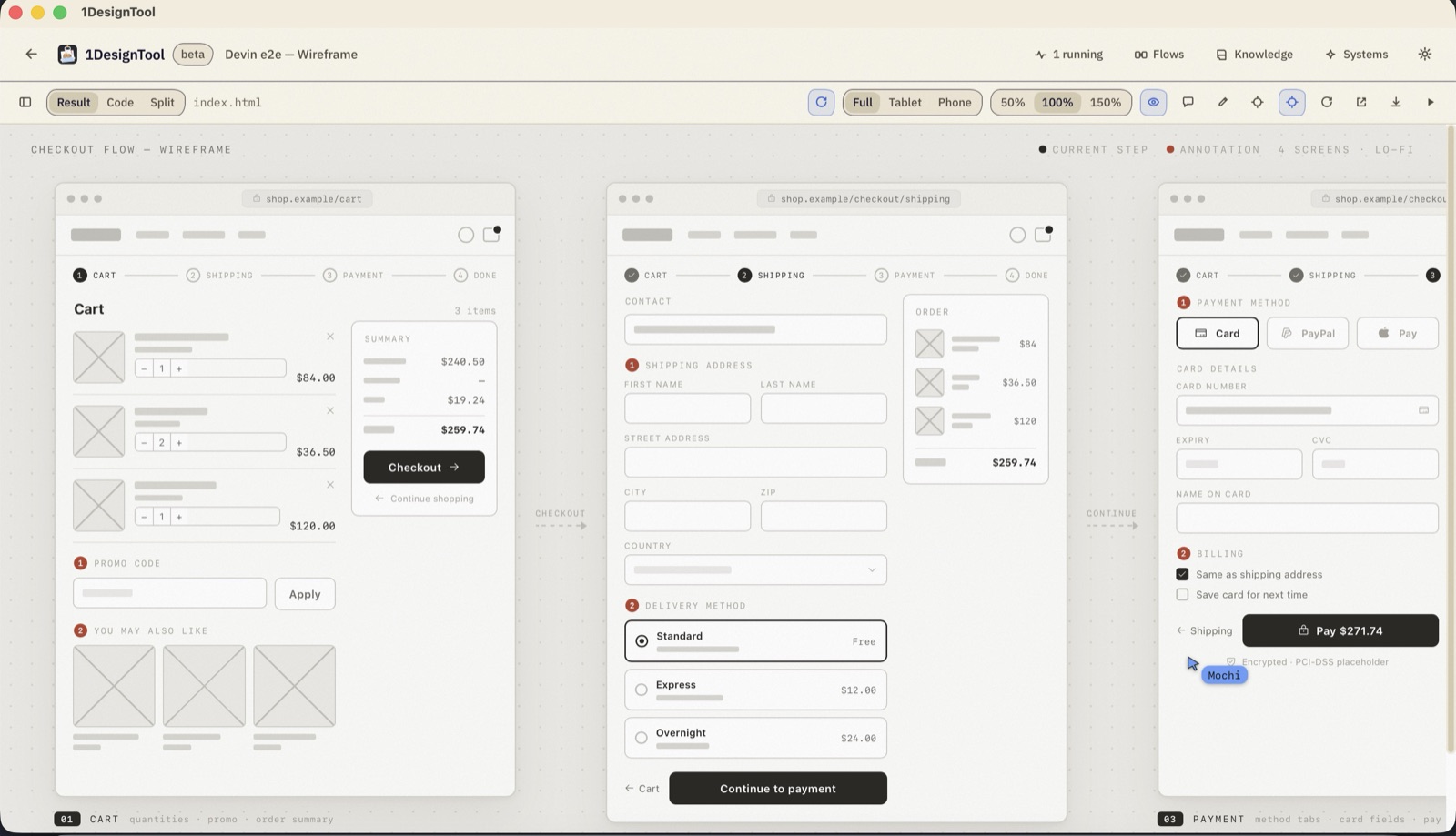
The gate is what keeps the third frame as careful as the first. Generated work degrades along a run — the model gets further from its own plan, and the last screen is where that shows. Checks that run over every frame are the cheapest way to catch it.
And here is a finished-fidelity version of the same idea — a plant-care app in three screens, device frames, real content, one prompt:
Mobile app · Devin · e2e · gate PASS
Frond — A plant-care app in three finished screens — today, detail, reminder — device frames and all.
▸ the prompt that made it▾ the prompt that made it
“Design a mobile app: a plant-care app: today screen, plant detail, and watering reminder.”
The trade you are making
A gate that can fail costs you time. Runs take another turn. Sometimes the agent goes around twice on a contrast pair that a human would have shrugged at.
What you get back is the ability to not look. If the gate passed, the type scale is the type scale, the colours came from the tokens, nothing overflows at 390px, and no frame is blank. That is a boring list, and it is exactly the list you would otherwise be checking by hand, at the end of the day, on work you did not make.
The design tool being allowed to say no is the reason you can stop auditing it.
The run itself — brief, agents, preview, files — is covered in Inside a run. All of it happens on your own machine, against the coding agents you already have.