You are forty seconds into a turn and you can already see it going sideways. The agent read the brief, picked a layout, and is now carefully building the hero you are about to ask it to change. You typed the correction the moment you saw it, but a follow-up only sends when the turn ends, so the correction just sits there while the agent keeps polishing the wrong thing.
Your options used to be bad in both directions. Wait, and pay for minutes of work you already know you will throw away. Or press Stop, lose whatever the turn had finished, and start again with a longer prompt that re-explains everything plus the one thing you wanted to change. A long 3D scene or an animated explainer can run for several minutes, so "I'll just wait" often meant going to make coffee because of a single sentence.
What changed
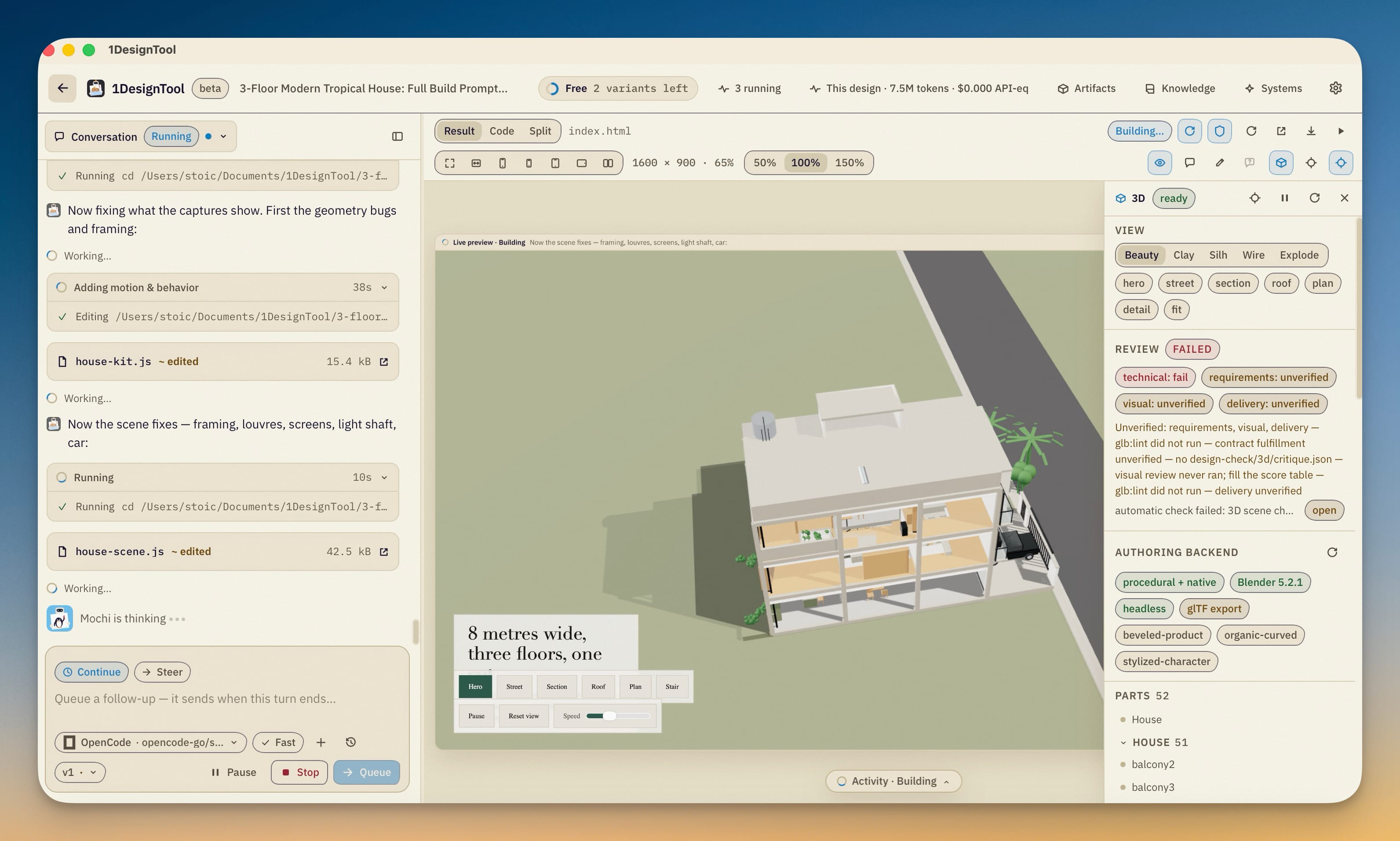
Now you can redirect a turn while it is running, without stopping it and without losing what it has already done. While a turn runs, the composer offers two ways to send: Continue, which queues your message for when the turn ends, and Steer, which checkpoints the running task and resumes it with your instruction. Work the agent already finished is kept, and the new instruction applies to what's left.
How it works in practice
Pick Continue or Steer before you send
The two chips appear above the composer only while a turn is running. Continue is the default and behaves the way follow-ups always have: the box reads Queue a follow-up — it sends when this turn ends… and the send button says Queue.
Switch to Steer and the composer changes to match. The placeholder becomes Adjust the current task…, the send button becomes Steer, and a line under the chips says what will happen: Send an instruction to interrupt and resume the current task, or choose "Steer now" on a queued message. Press Enter and the app pauses the job at a checkpoint, then resumes that same job with your note.
The agent doesn't get a blank restart. The resume note gives it the original task and your new instruction together, and tells it to continue from the saved checkpoint, keep completed work, and apply the instruction to the remaining work. For a request like "keep the layout, but make the palette warmer", the files it already wrote stay where they are and only the unfinished work changes direction.
Steer needs text. Attachments alone can go into a queued follow-up, but a steer has to say what should change, so the button stays disabled until you type something. Anything you have attached in the composer rides along with the steer.
Fix a queued message instead of deleting and retyping it
Queued follow-ups used to be frozen once you sent them. If you queued "make it relate to AGI?" and then thought of a better wording, the only fix was to remove it and queue a new one at the back of the line.
Now you can click a queued message, or press its Edit button, to edit it in place. It opens as a text box with Cancel edit and Save. ⌘⏎ (Ctrl+Enter on Windows) saves and Esc cancels. While you edit, the message keeps its original spot in the queue, so a correction to the second message doesn't move it behind the fourth.
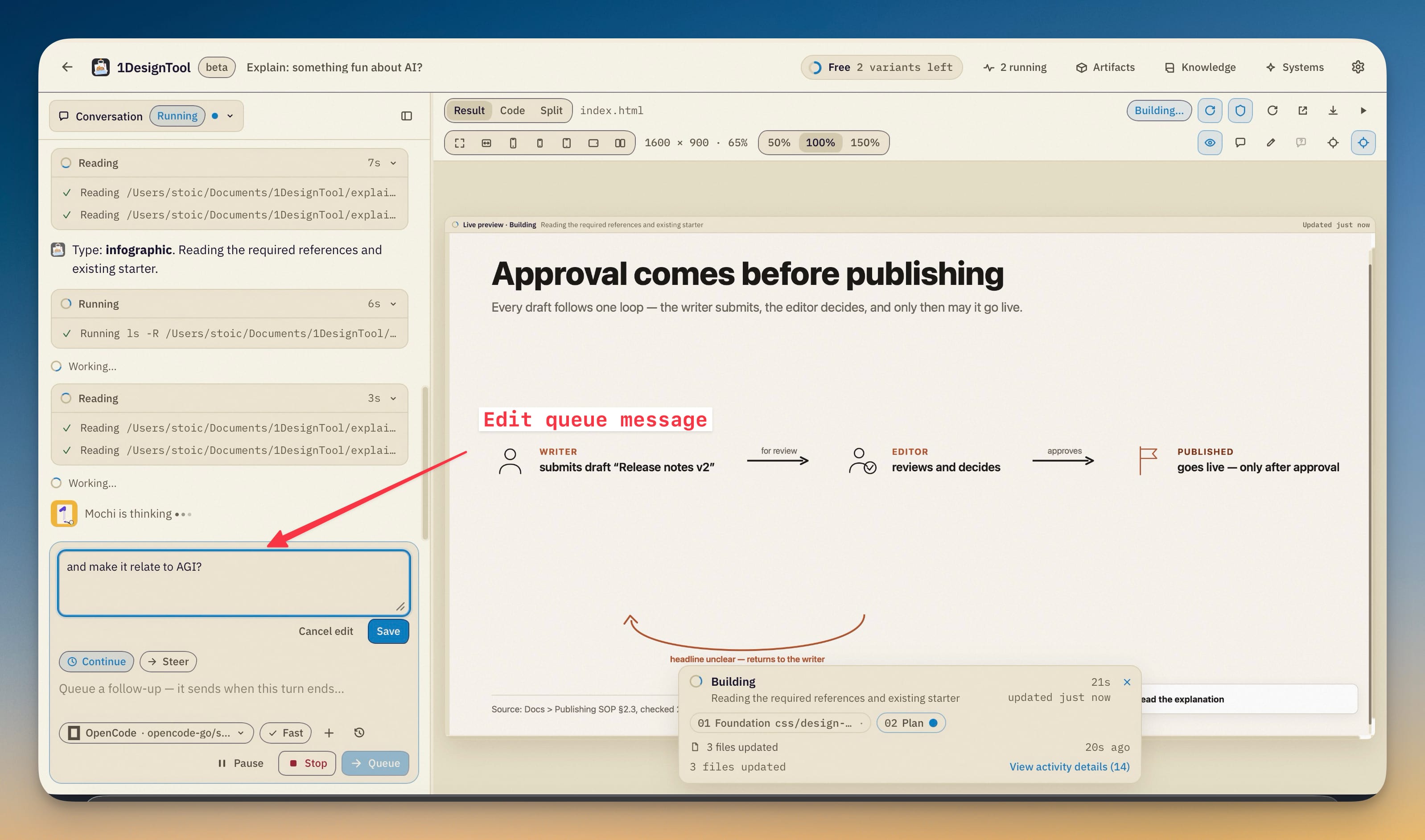
A message you are still editing can't be applied yet. If the turn ends while it's next in line and its editor is open, the queue waits for you to save or cancel instead of sending a half-finished version.
Promote a queued message to "now"
Sometimes you queue something because it seems like it can wait, and then the turn shows you it can't. Every queued message now has Steer now next to Edit and the remove button. It interrupts the current run and resumes it with that queued instruction, the same way Steer does from the composer.
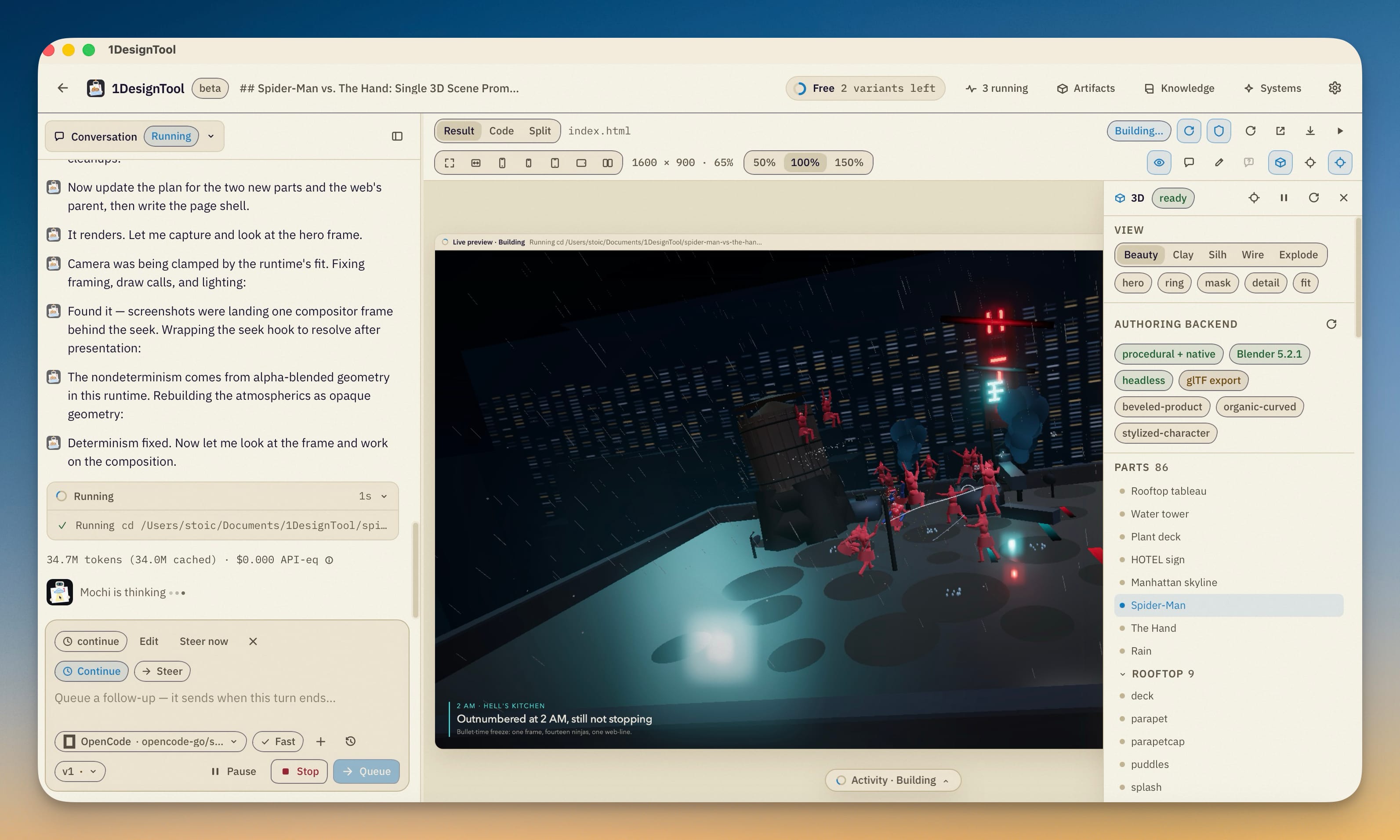
Two details make this safe to use without thinking about it:
- The message keeps its own attachments. If you queued a message with a reference image and have since attached something else in the composer, Steer now sends the queued message's image, not the composer's.
- The rest of the queue stays in order. Steering one message out of the middle of the queue doesn't reorder or drop the others. They still send, in order, when the turn ends.
Nothing you type gets lost
A steer is two steps, pause and resume, and either one can fail: the agent might not reach a checkpoint cleanly, or the resume might not start. Either way, your instruction stays in the queue instead of disappearing. If the pause never happened, the turn just keeps running and you can try Steer now again or let the message send when the turn ends.
Only one steer runs per conversation at a time, so a second steer can't race the first while the checkpoint is still being written.
Steer is not Pause
The composer still has Pause and Stop beside the send button, and each does something different:
- Pause checkpoints the job and frees its slot. Nothing resumes until you press Resume, and anything you type while paused becomes the resume note.
- Stop cancels the turn.
- Steer pauses and resumes in one move, with your instruction attached.
Use Pause when you want to step away or give another conversation the slot. Use Steer when you already know what to change and want the agent to keep going.
Before vs After
| Before | After | |
|---|---|---|
| Spot a mistake mid-turn | Wait for the turn to end, or Stop and lose its progress | Switch to Steer, type the fix, press Enter |
| What the agent keeps | Everything (if you wait) or nothing (if you stop) | Completed work stays, and the instruction applies to what's left |
| Reword a queued follow-up | Remove it and queue a new one at the back | Click it, edit in place, ⌘⏎ to save, same spot in the queue |
| A queued message becomes urgent | Wait, or Stop and paste it as a new turn | Steer now on that message |
| A reference image on a queued message | Lost if you re-sent from the composer | Travels with the message, even on Steer now |
| A steer fails partway | Not applicable | The instruction stays queued and the turn keeps running |
Who benefits most
Long 3D and animation runs. A scene build or a one-minute explainer can run for several minutes, and a wrong camera angle or a mistimed beat is usually visible early. Steering at that point saves most of the run.
People who think out loud in the queue. If you tend to queue three or four follow-ups while watching a turn, you can now tidy them up as the design takes shape, and pull the one that matters to the front.
Anyone paying per token. Every minute an agent spends on work you've already rejected costs money. Steering early means the turns you pay for end up closer to what you wanted.
Try it
Update to 1DesignTool 1.9.0, start a turn, and switch the composer to Steer the first time the preview heads somewhere you didn't mean. The same release also opens sent attachments in place, rebuilds design systems from your screenshots, PDFs, tokens and code, and adds motion presets and product-shot staging to the 3D scene editor. The full list is in the v1.9.0 changelog. What you get is a turn you can correct while it runs, without starting it over.