New
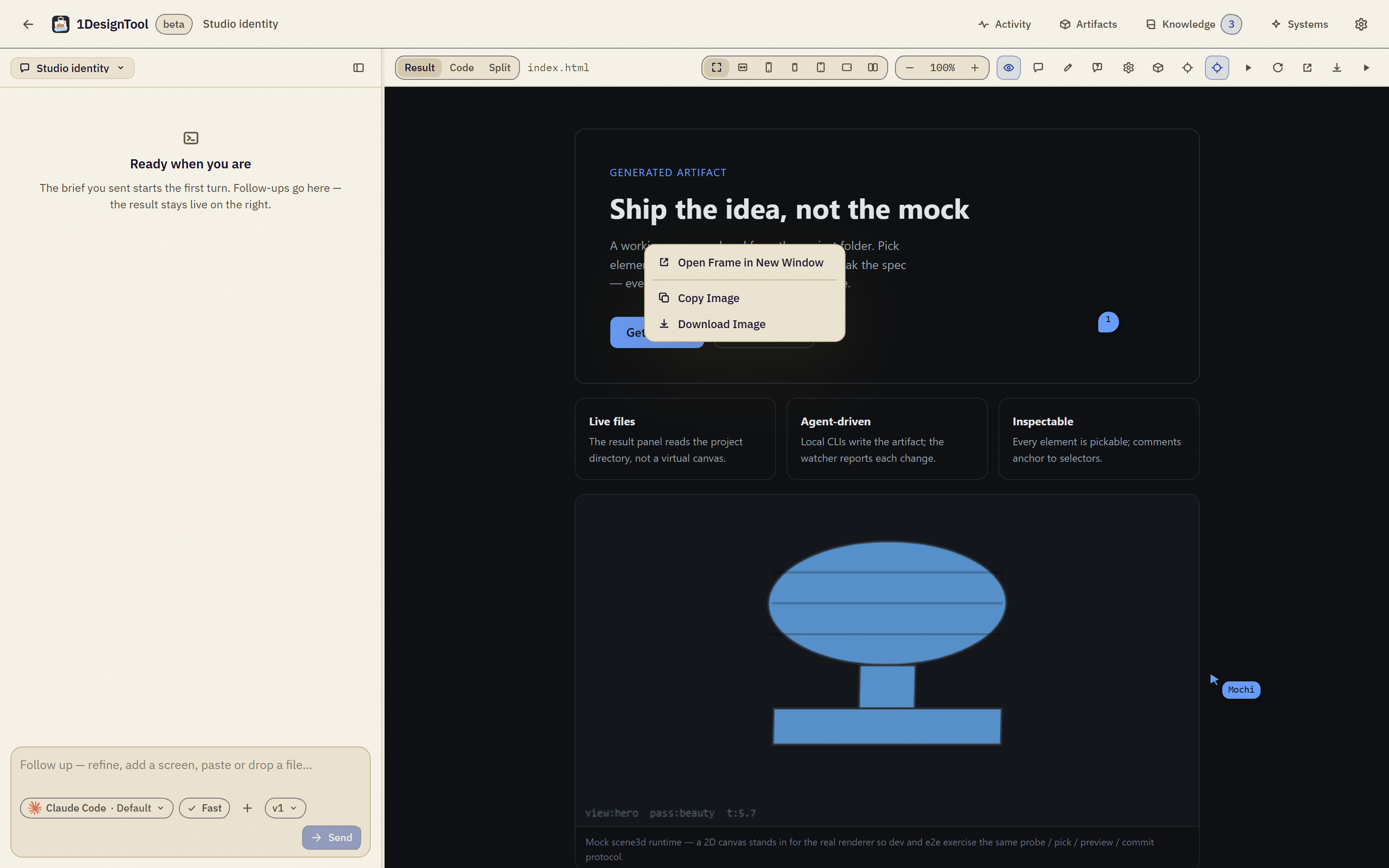
1Right-click the preview for a frame menu.
Open Frame in New Window opens the design in its own window, sized to the stage. Copy Image puts a picture of the frame on the clipboard, ready to paste into a chat or a doc. Download Image saves it to your Downloads folder. Images render at 2x on a Retina screen.
Improved
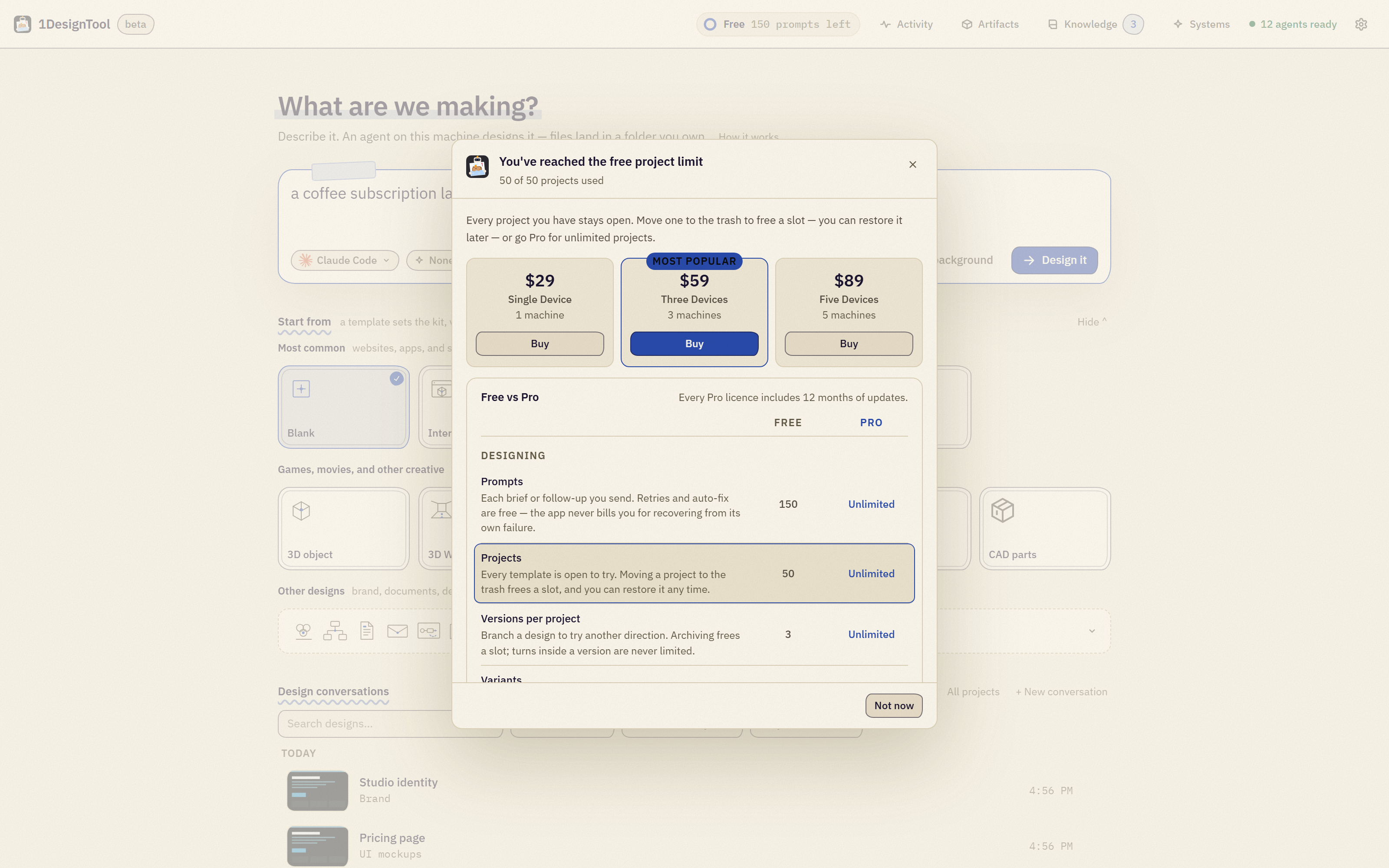
2The free plan's limits.
Free now includes 150 agent turns and up to 50 projects on Home at a time. Projects you already have stay open: move one to the trash to free a slot, and restore it later. Copy Image is free and keeps working when your render budget is spent; Download Image counts as a render, like a PNG export. Pro stays unlimited.
Buying and activating Pro go through the StoicSoft store.
The Buy buttons open store.stoicsoft.com, and keys activate there. Existing Lemon Squeezy keys keep working.