New
33D World: walk through a real place.
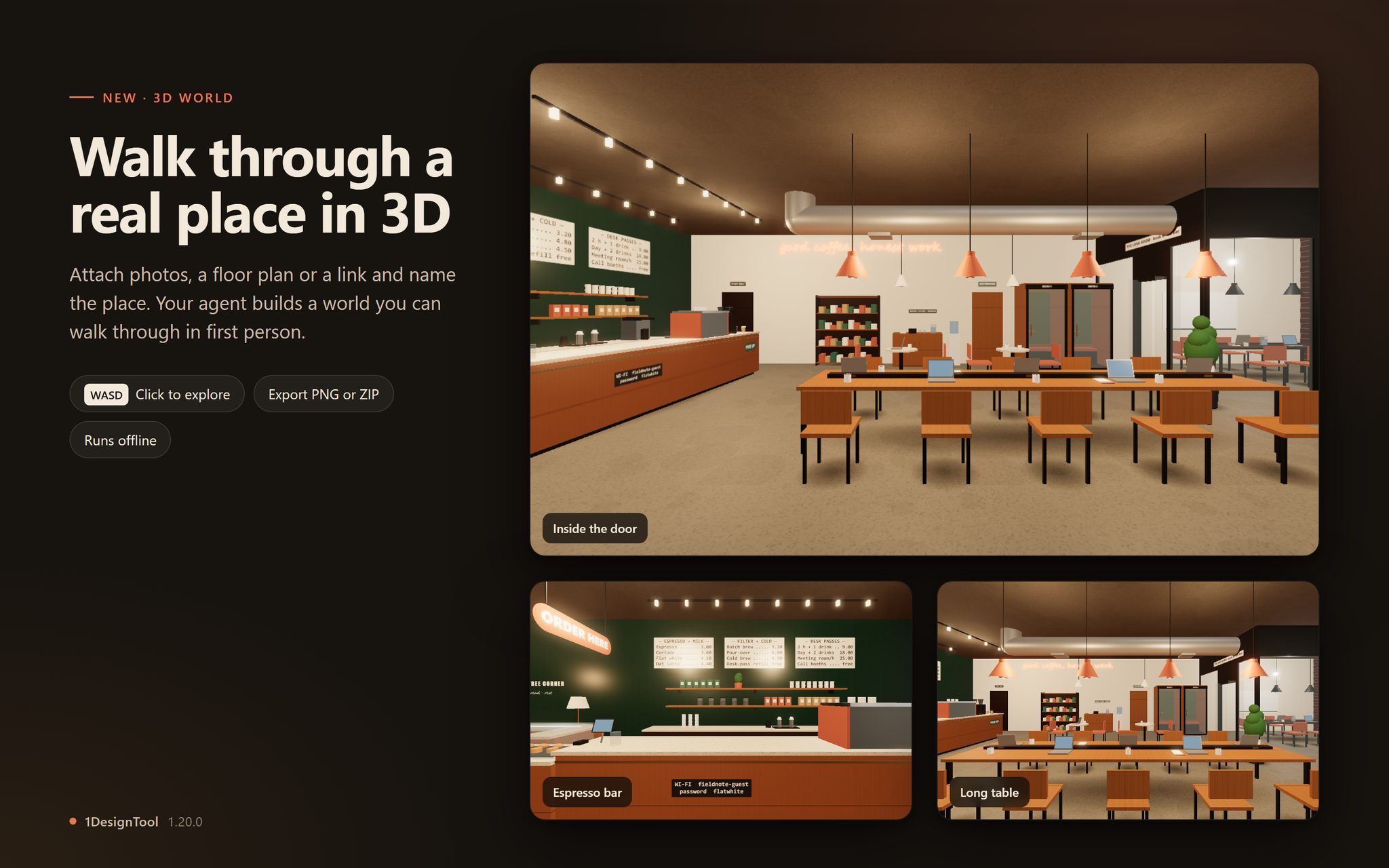
A new template on Home turns photos, a floor plan or a link into a world you walk through in first person: a shop, a café, a gym, a street, a venue. Click the preview to explore with WASD or the arrow keys, or use the touch sticks on a phone. Before a world is done, its checks walk every room, run at every wall and render every viewpoint, so you don't get stuck or fall through the floor. Export a screenshot, or a ZIP of the whole world that runs offline.
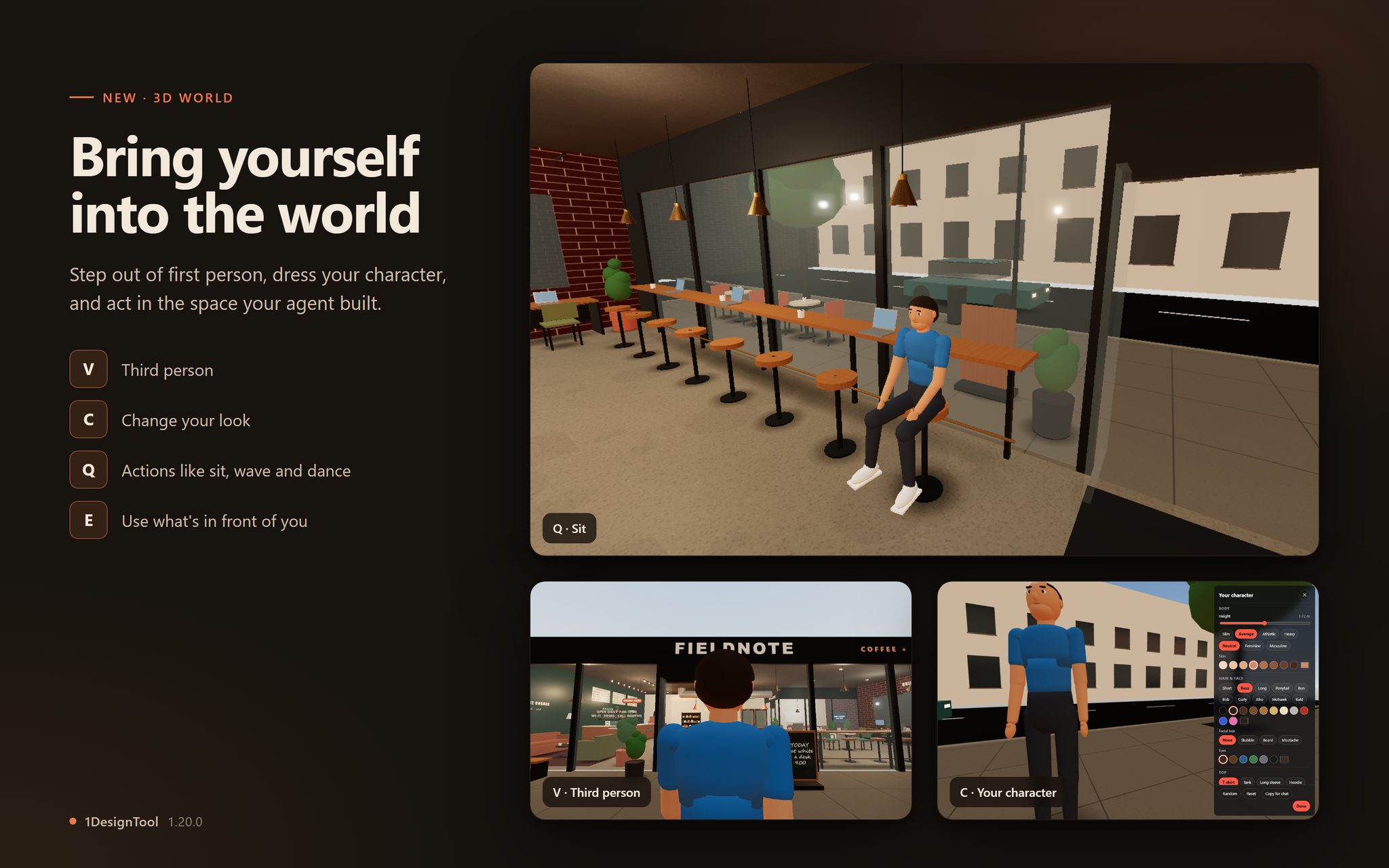
Bring yourself into the world.
Press V to see yourself in third person, C to change your character's look, Q to pick an action such as sit, wave or dance, and E to use what's in front of you. Ask the agent for more, like "let me fly over the building" or "a pool on the terrace I can swim in".
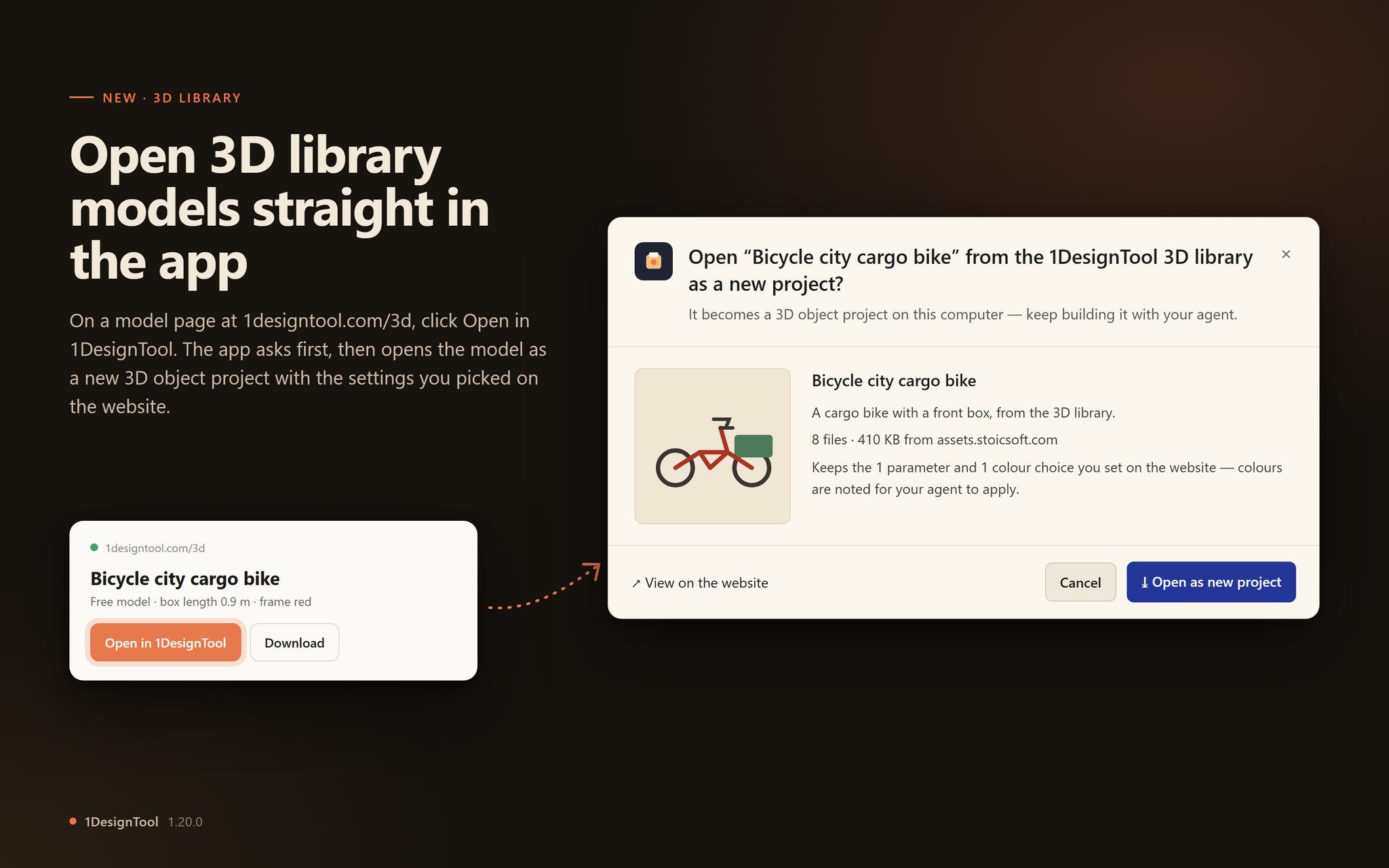
Open a free 3D library model straight in the app.
"Open in 1DesignTool" on a model page at 1designtool.com/3d asks first, then downloads the model into a new 3D object project, with the settings you picked on the website, so you can keep building it.
Fixed
1The StoicSoft card shows the current Complete price.
The bundle card in Settings → License lists StoicSoft Complete at its new price: $199 for one device, $349 for three.