New
6Codebase projects grow two new modes: Build and Sketch.
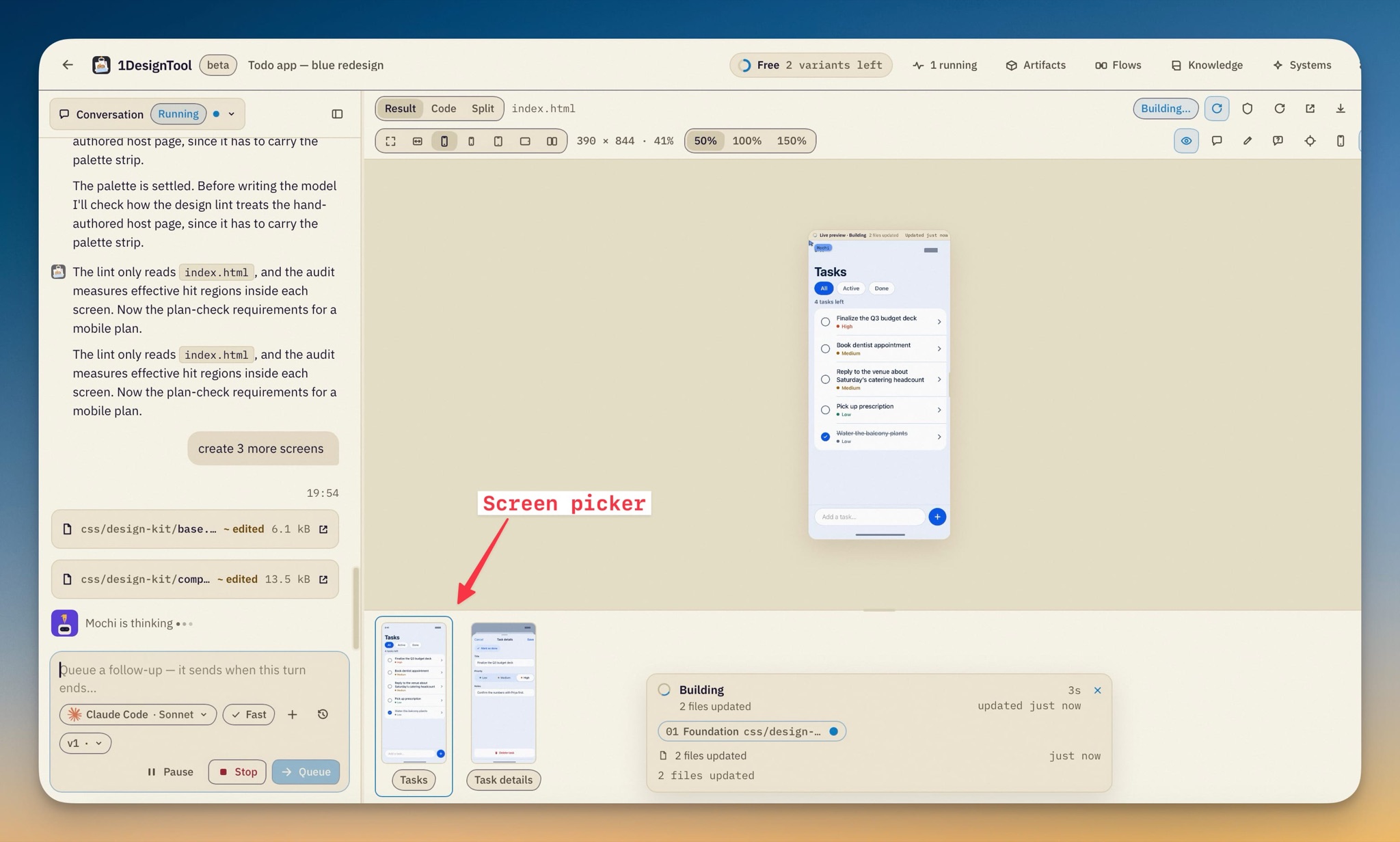
The result panel's Preview is joined by Build — an editor that works on your real app's rendered UI — and Sketch, a canvas for drawing screens in the layout subset. Artifact projects keep Preview only.
- Build edits the real app. The stage is the picture your own renderer drew: hover outlines elements, click selects one, breadcrumbs walk to parents and children, padding and gap guides show on the selection, and Alt-hover draws redlines to a second element. The property panel names the component and its file:line, and edits padding, gap, direction, alignment, background, radius, opacity, font size and weight, text color and text.
- Every edit is verified or rolled back. A commit becomes typed intents and runs apply → parse → compile → reload → re-inspect → intent check → blast radius → lint, with each step shown while it runs. A pass joins the undo/redo history with its diff viewable; a failure rolls itself back and shows the reason first. Lint findings group by rule — clicking one selects the element, and *Fix* applies its intent through the same loop. A Tokens tab lists the project's tokens, exports them per stack, and edits the component map.
- Fidelity is always labelled. *Live* means the project's own dev server drew the pixels, *Snapshot* a toolchain render, *Approximate* no real renderer — the badge's tooltip says what the label means and it is never hidden.
- Sketch draws screens, then compiles them. The canvas holds the layout subset — stacks, overlay, scroll, fixed/fill/hug sizing, padding, gap, alignment, token-only visuals and text styles, images, icons, mapped components — saved as design/*.1d files in the repo, so a sketch reviews in a PR like any other change. *Seed from Build* starts one from the current screen's real structure (labelled approximate); *Compile to…* previews the generated code for a stack, file and target you pick, and *Apply & verify* sends it through the same verification loop. Sketch → intents → code is one way — nothing converts code back into a sketch.
- The stacks it speaks: React, Next.js, Vue and Svelte web apps — Tailwind, CSS modules or inline styles — React Native, SwiftUI, Flutter and GPUI. Structural changes (wrap, insert, restructure) go to the project's agent as a normal turn whose answer is verified like any other edit.
- Agents drive it too. Project runs and external clients get get_selection, get_tree, get_lint, propose_intents, apply_and_verify and open_screen — and since apply_and_verify writes the repo it sits behind the generate grant. open_screen and a verified apply move an open Build stage along with the agent.
- Native repos adopt too. A folder with a Package.swift, an .xcodeproj, a pubspec.yaml or a GPUI Cargo.toml is offered *Design inside this codebase* like a JS repo; with no dev server its result panel opens on Build. A folder that isn't a git repo is asked to git init first — every edit is a reversible mark.
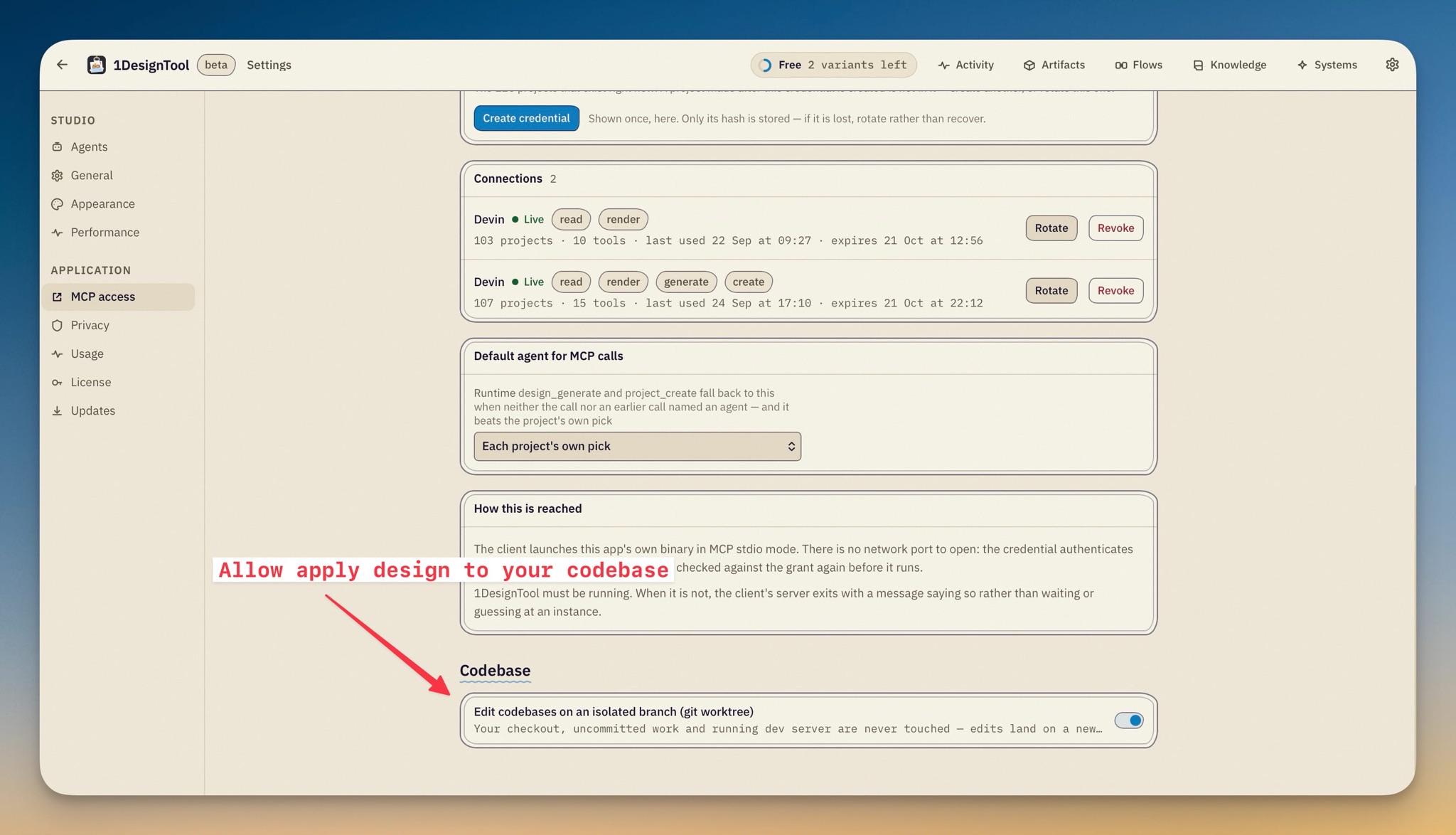
Codebase edits land on an isolated branch by default.
Adopting a repo now offers *Edit on an isolated branch (git worktree)* — prefilled from the new Settings → Codebase toggle — which creates a 1design/<name> branch at your checkout's HEAD and edits it in an app-owned worktree. Your checkout, your uncommitted work and your running dev server are never touched; each project records its own mode.
- Dependencies link in. A fresh worktree has no ignored files, so the adopt sheet lists your checkout's ignored and untracked paths with sizes — node_modules, Pods, .env and friends are ticked and symlinked in by default, never committed; build output is never offered.
- Every turn is a commit. A turn that changed files commits as 1design: <first line of the prompt>; each verified Build edit, undo and redo commits as 1design(build): …. The author is your own git identity — a repo without one borrows a 1DesignTool identity for that command only, config untouched — and no commit carries assistant attribution. *Restore this turn* reverts the turn's commit, so later turns survive it.
- The preview runs inside the branch. For JS repos the preview and every screenshot use a dev server started in the worktree — your own dev server keeps serving your checkout — and a server that fails to start says why in the panel.
- A branch bar tracks it. Under the result panel: the branch and its base, ahead/behind counts, files changed, plus *Review changes* (the commits and a per-file diff against base), *Copy merge command* (and a gh pr create line when the repo has a remote), *Open worktree folder*, *Merge into <base>* — guarded to a clean checkout on the base and aborted on conflict — and *Discard branch*.
- Warnings where you'd look for them. The adopt sheet flags a repo that already has worktrees (ours tagged by their 1design/ branch) or a folder that is itself a linked worktree; the branch bar and the Home card flag a worktree folder gone missing — Recreate or Prune — a branch checked out elsewhere, and a base that moved ahead. Direct mode is unchanged, and a direct project's branch bar offers *Move to an isolated branch* — the same checkout adopted again, as a new project.
Pick a design system by what you're making.
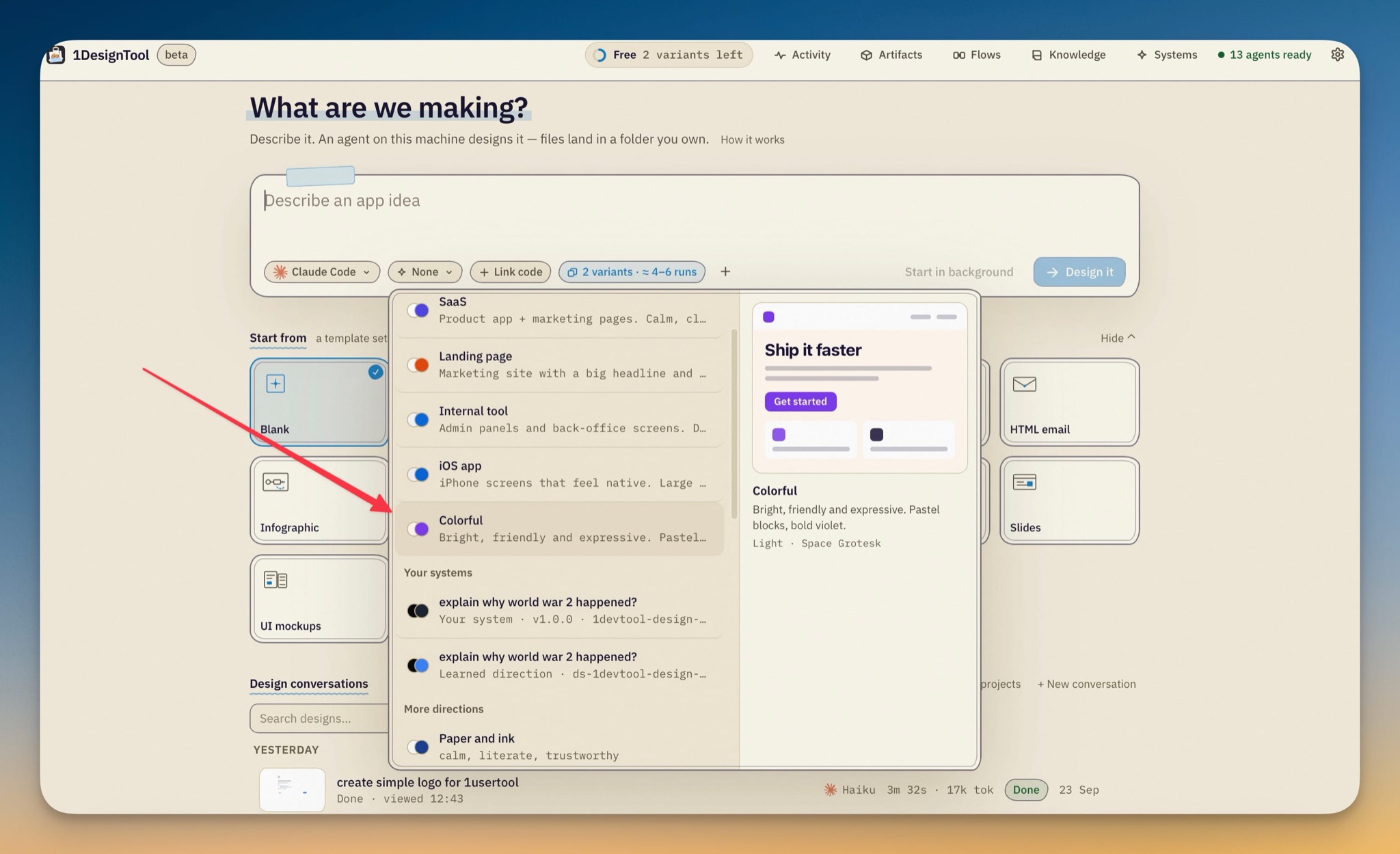
The composer chip regroups into None, starter directions under plain names — SaaS, Landing page, Internal tool, iOS app, Colorful — your own systems, then the rest of the kit. Hover or focus a row and a miniature screen painted in its palette and heading font previews beside the list — no build needed to judge. The default is now None: the agent picks a direction from your brief, and your last pick is remembered.
Four new kit directions.
SaaS, Landing page, Internal tool and Colorful join the catalog (17 directions in all), each a complete package — palette, fonts, type scale, radius, shadow, motion — and each a starter in the picker above.
External calls can name the agent.
design_generate and project_create accept runtime and model — or a directive inside the brief itself (@codex/gpt-5, agent: codex, model: gpt-5). A call that names none reuses the previous call's pick, then the Settings → MCP access default, then the project's own. server_info now lists the runtime ids a caller may name.
Release notes render fully in the update dialog.
Notes are read from the published release itself — so linked screenshots show — with the update feed's copy as fallback. A screenshot clicks open full size, a link opens in your browser instead of navigating the studio away, and pasted-in GitHub formatting no longer flattens the lists.
Improved
1Menus sit where their button is.
The activity feed, the conversation switcher, each conversation's ⋯ menu and the scene editor's export menu now anchor to the control that opened them, and the activity list re-lays its rows so long titles wrap under the status line instead of squeezing to a letter per line.
Fixed
2Esc peels one layer at a time.
Renaming a conversation and pressing Esc cancels the rename instead of closing the whole list, and Esc on a zoomed release-note screenshot closes the zoom before the dialog.
A failed codebase adopt says so.
An adopt the host refuses surfaces as a toast with the reason instead of the sheet closing quietly.
Privacy
3Worktree mode keeps your checkout read-only to the studio.
Edits, commits and the preview's dev server all happen in the app-owned worktree under app data; your folder gets nothing. The one shared surface is opt-in: dependency paths you leave ticked are symlinked in, so a package install inside the worktree writes into the linked folder in your checkout.
The update check makes one extra HTTPS call.
Release notes are read from the GitHub release on the same public releases repo the updater already polls — nothing but the version string is sent, and any failure falls back to the feed's notes.
Build's helpers stay on your machine.
One harness daemon per codebase project talks loopback only; its renders, trees and patches live under the project's .1design/ (excluded from git), sketch files are yours to commit or not, and external clients reach Build only through the MCP grants you gave them.