macOSWindowsLinux — Free forever tier$29 once, no subscription
Works with
Claude Code
Codex
Antigravity
Cursor
OpenCode
Gemini CLI
Cline
any CLI
148,527downloads
162releases, shipped weekly
No fork. No wrapper. No proxy.the real first-party CLIs on your own subscriptions
01 — Agent Teams
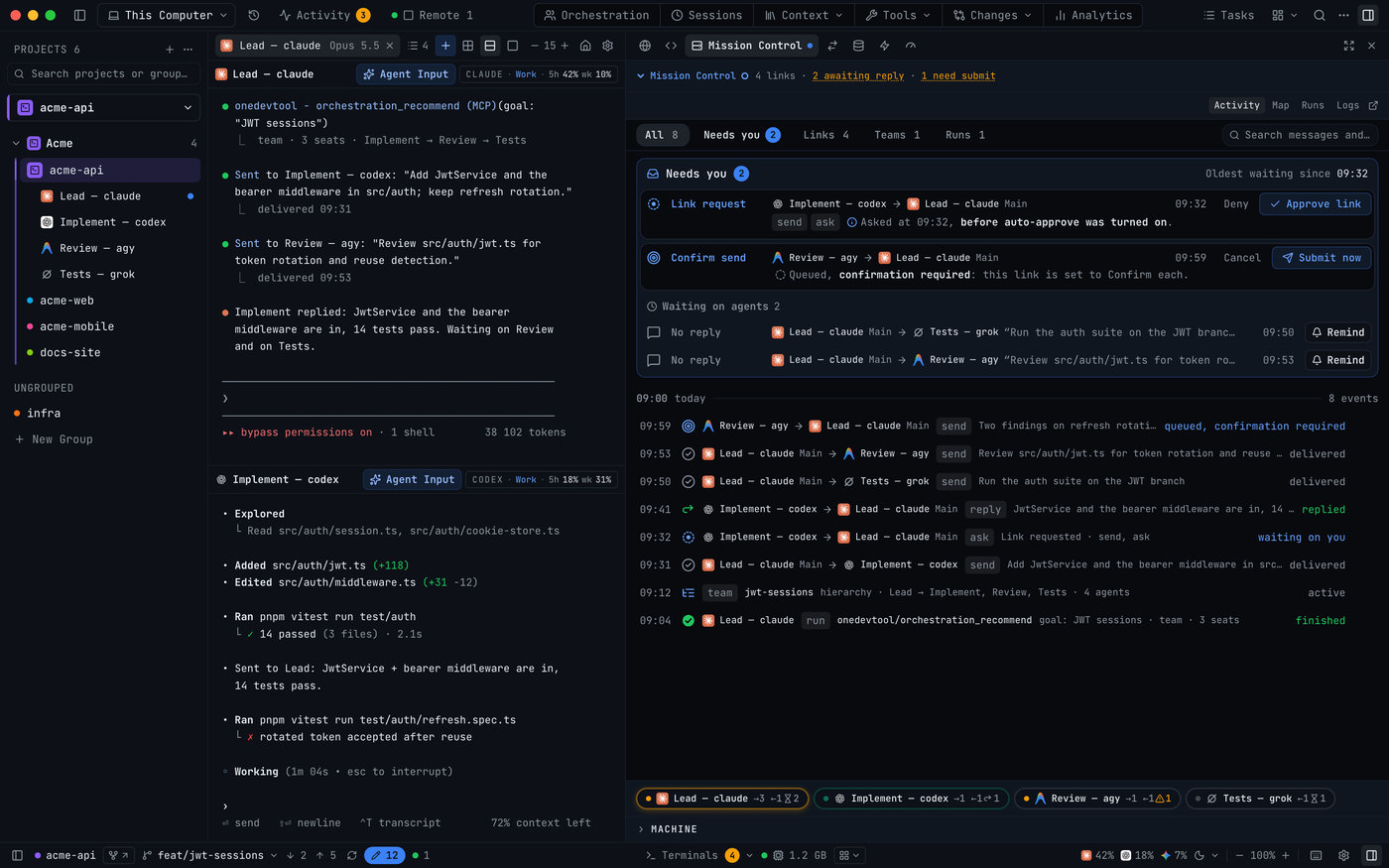
Brief a team, not a chat.
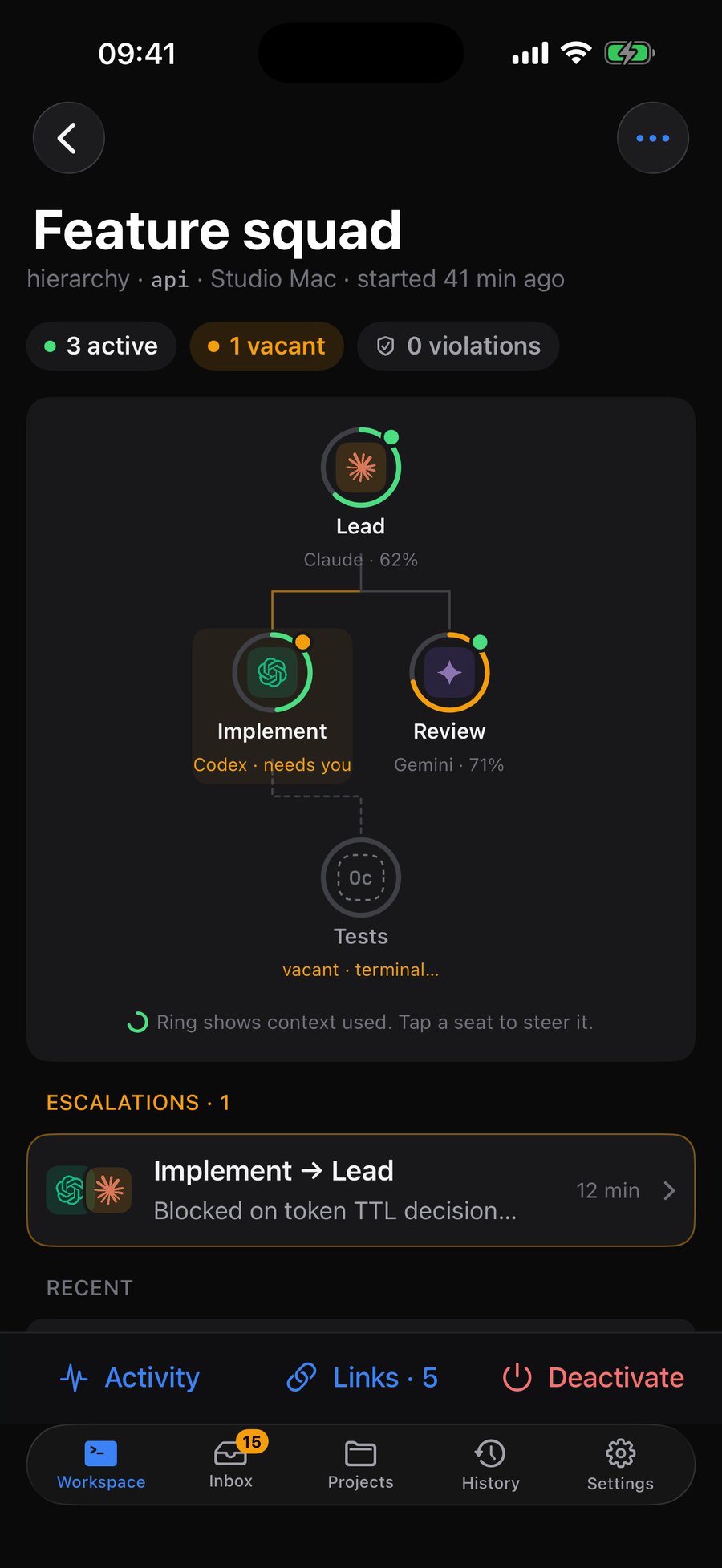
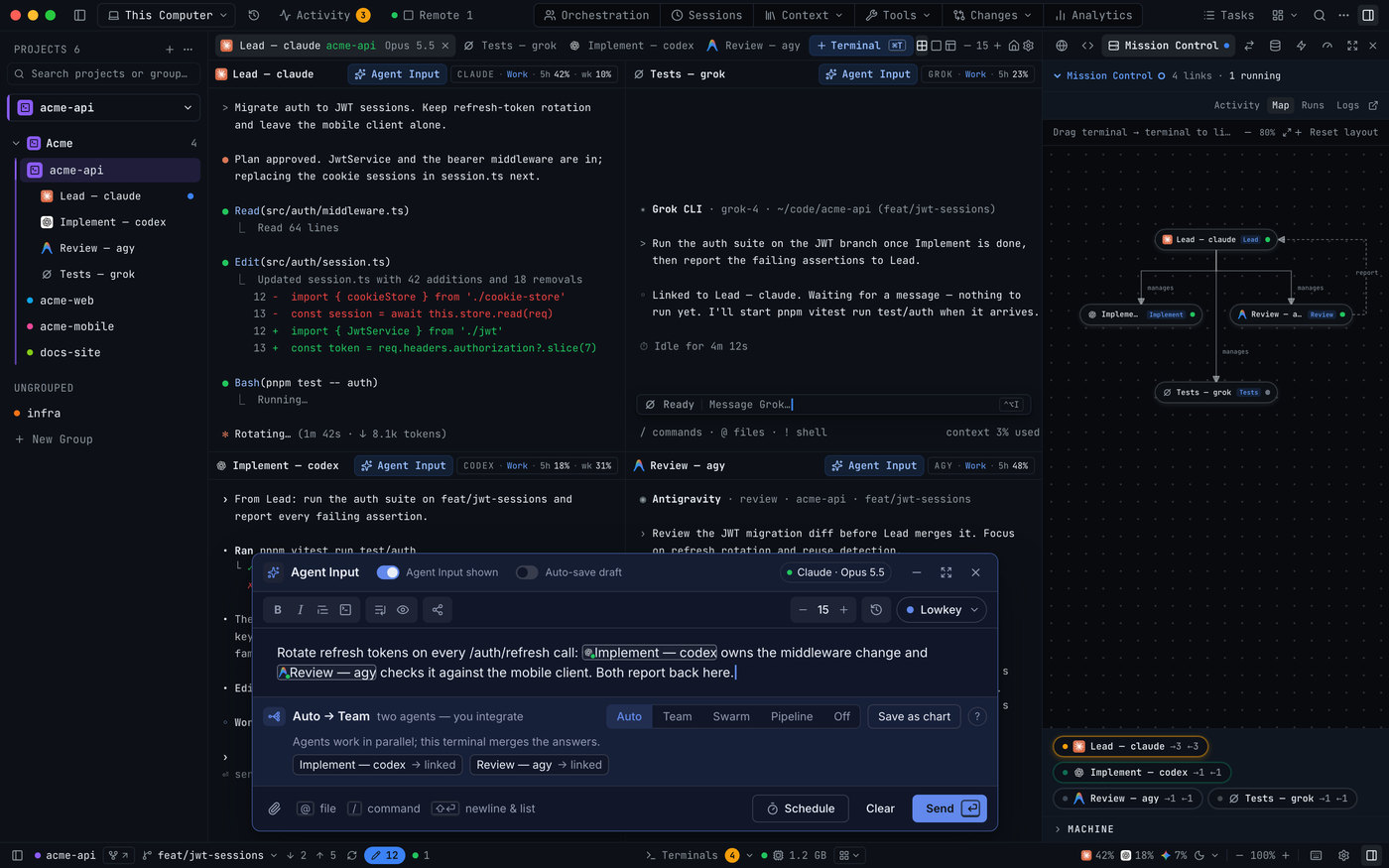
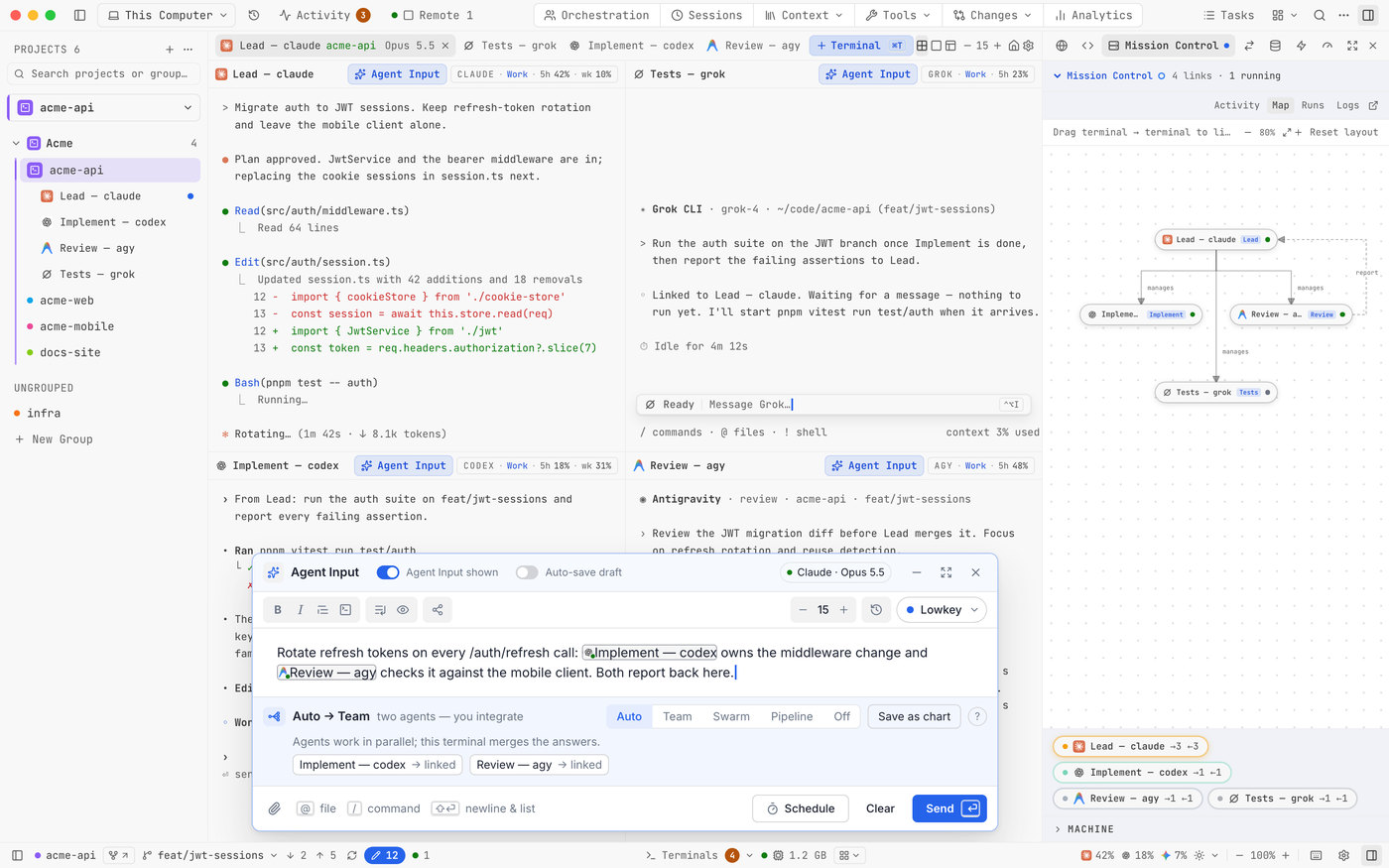
Type one task, @mention the agents that should help, and they work it in parallel. Mission Control shows who’s working, who’s stuck and who’s waiting on you.
Teams, pipelines and hierarchies, saved as reusable charts
A crashed or out-of-quota seat hands off to a backup agent
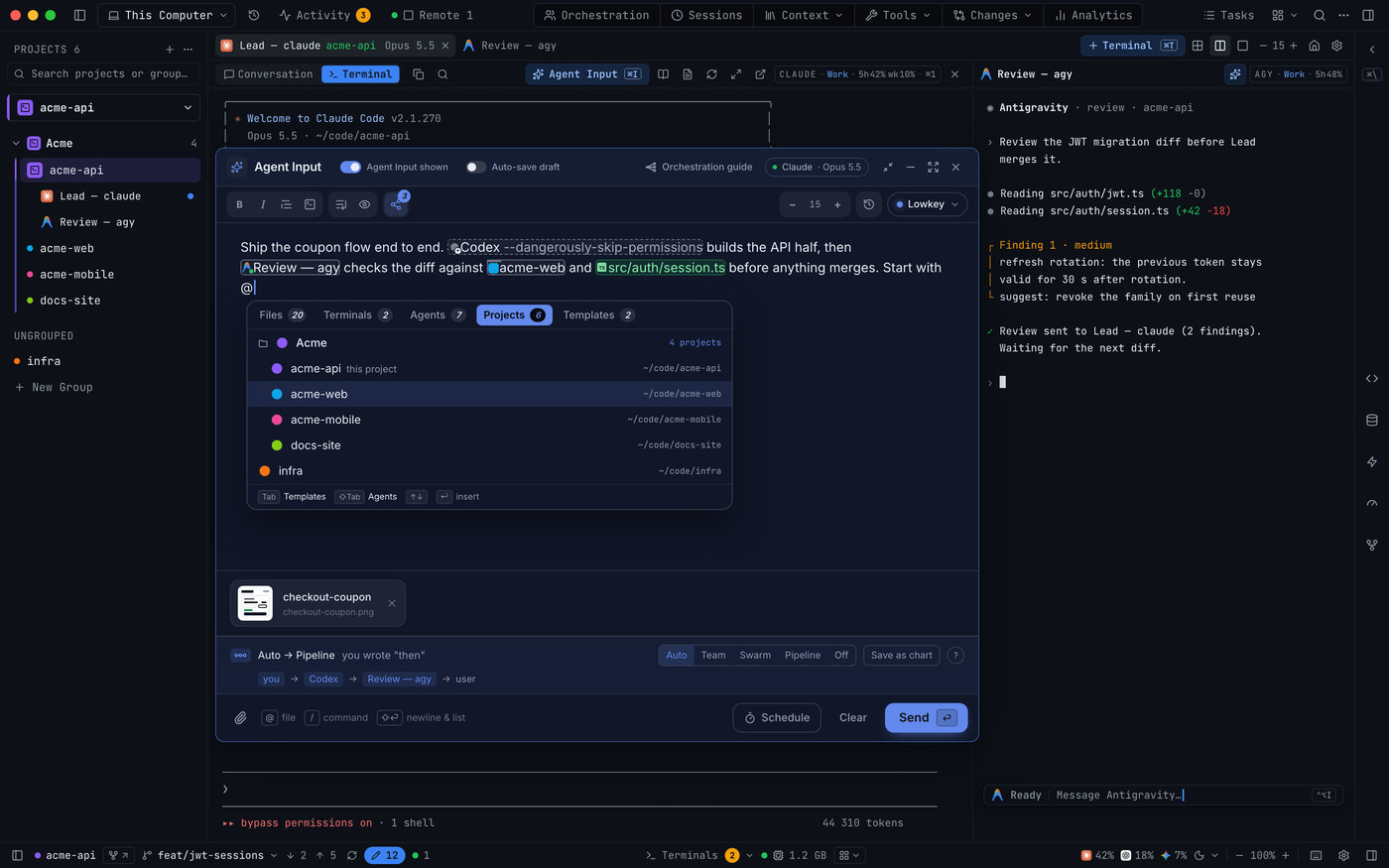
Agent CLIs take over the keyboard. Agent Input gives you a proper editor that types into any terminal: mention files, agents, open terminals and whole projects, attach a screenshot, and send when you’re ready — or when your quota resets.
@mention files, agents, terminals, templates, skills and projects
Drafts survive restarts, and every send is checked to have really gone
Schedule a prompt, or send one draft to many agents at once
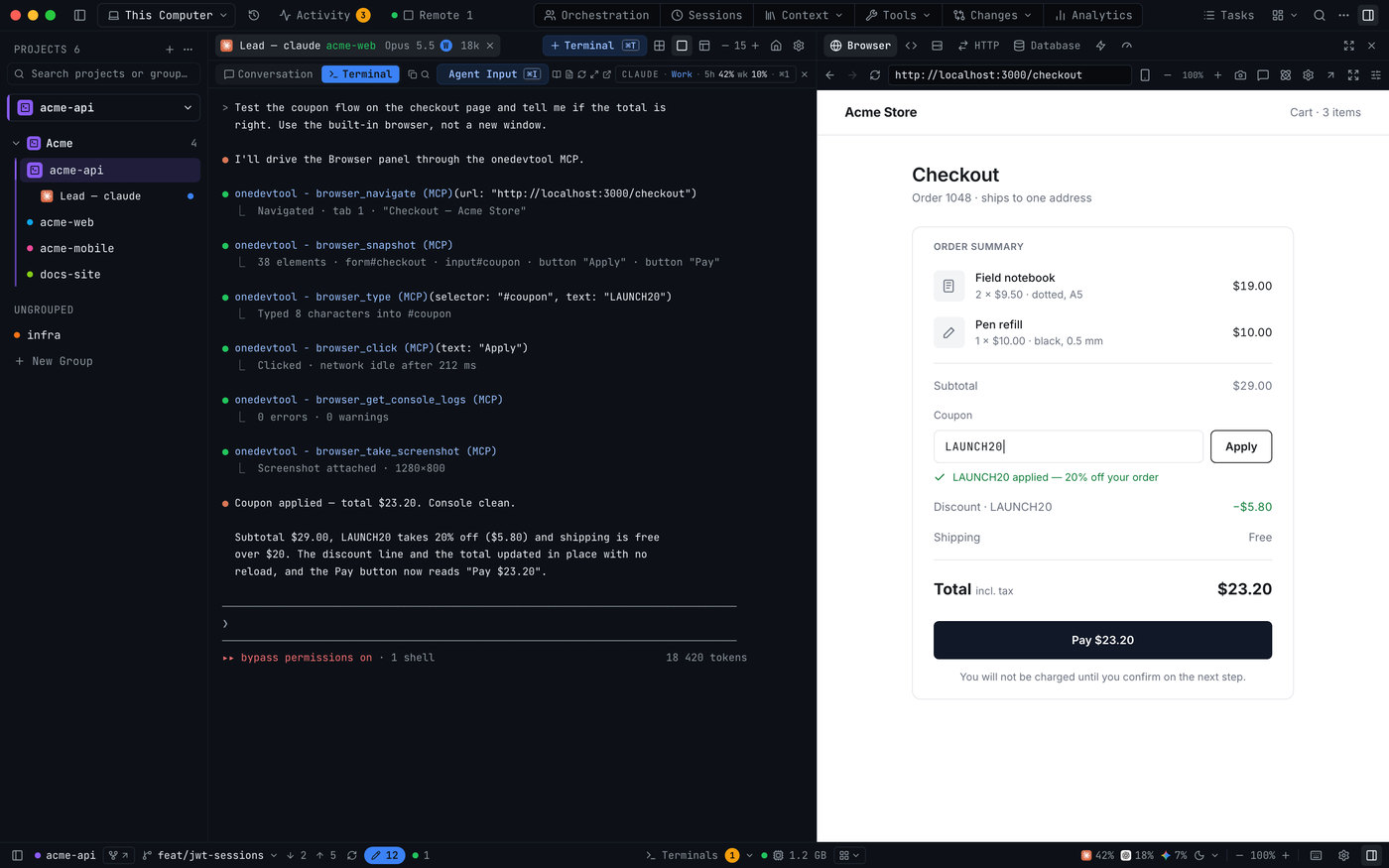
Browser, database, HTTP client and git dock beside the terminal, and your agents drive them through the built-in MCP server. No more copy-pasting context.
Agents click, fill and read the embedded browser
Query 23 database engines, run saved HTTP requests
Git client with worktrees, plus AI diff review per hunk
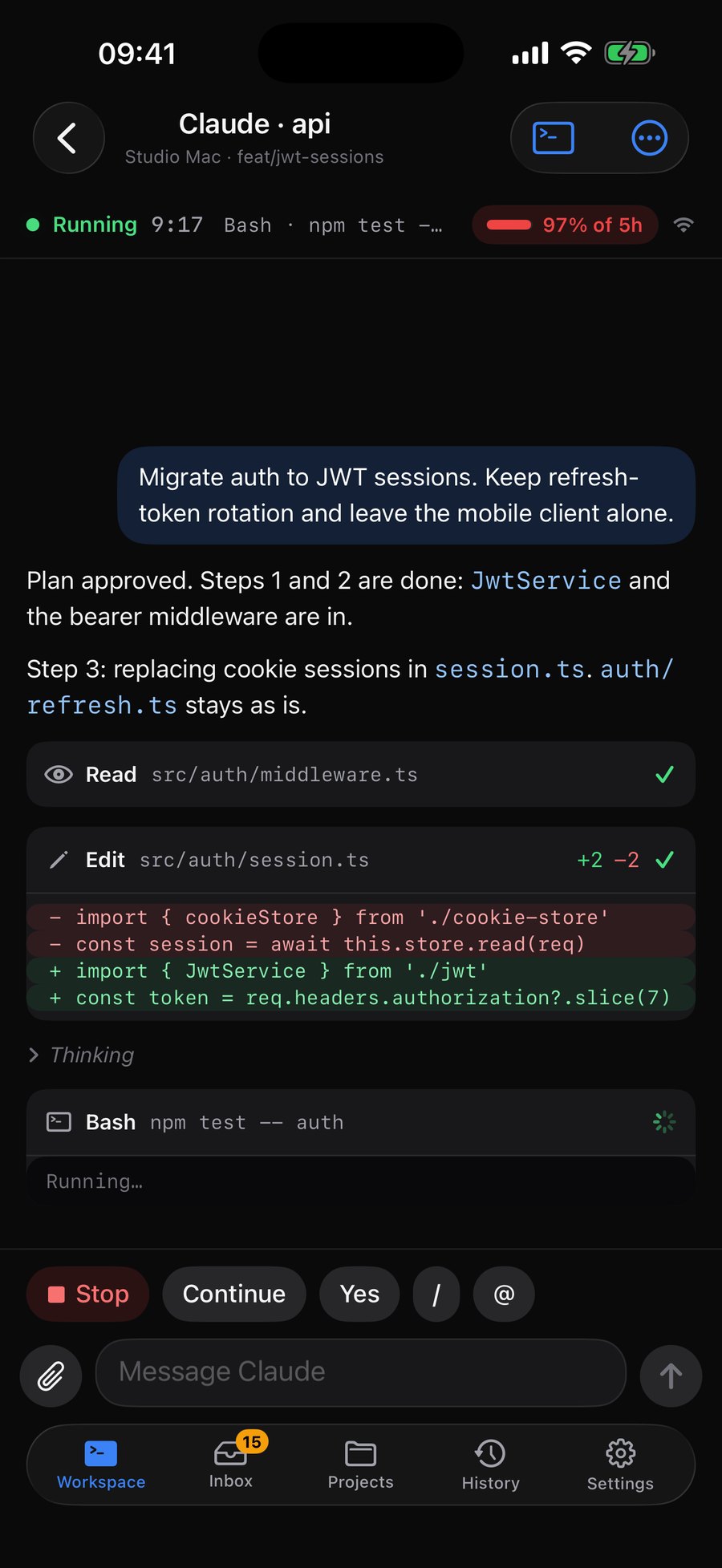
The 1DevTool phone app puts every agent in your pocket: follow the conversation, answer its questions, approve plans and steer whole teams, on your network or over Tailscale.
End-to-end encrypted alerts the moment an agent needs you
Message a seat, approve a link or continue a goal
Pair with a QR code and pick what the phone may do
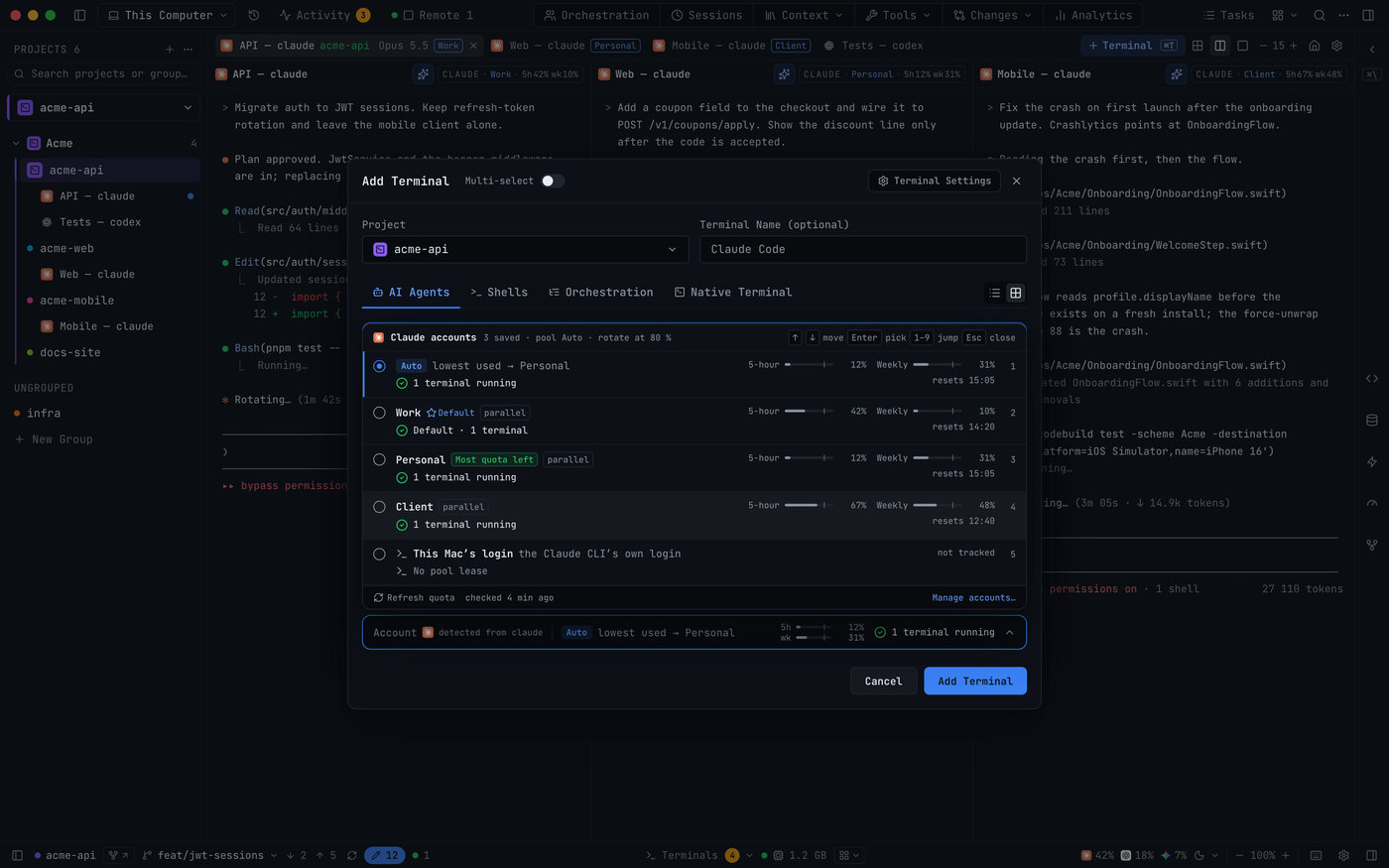
Sign in to every Claude, Codex, Gemini and Grok account you pay for — work, personal, client — and choose the one each terminal runs on. Claude terminals on different accounts run side by side, each with its own login.
Pick the account in Add Terminal, or let Auto choose from the pool
Every tab shows its account and that account’s 5-hour and weekly quota
Add, re-login, rename and remove accounts in one panel
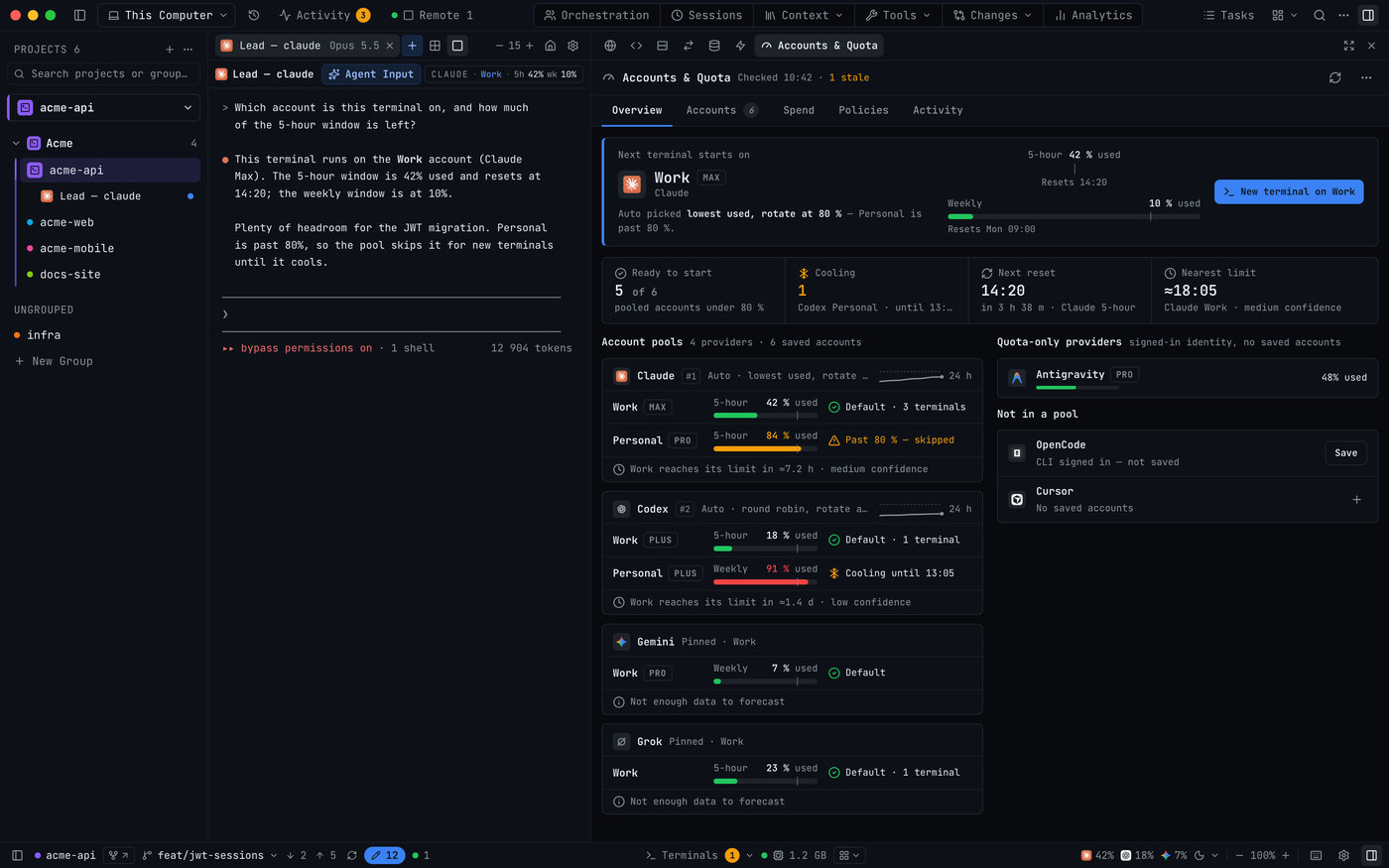
Terminals survive restarts and resume where they stopped. Accounts & Quota shows every subscription’s headroom and moves new terminals to the next account before a rate limit ends the run.
Resume any past conversation, from any agent
See which account the next terminal starts on, and when each limit resets
“Running Claude Code + Codex across 3-4 projects used to mean a desktop of terminal tabs. 1DevTool puts every project in one window, and remembers exactly where each agent left off. $29 once, replaces my whole AI dev stack.”
Tony Tin NguyenTech Partnership Lead, Ecomdy Mediacoderhorizon.com
“I work with multiple AI agents and projects simultaneously every day. 1DevTool is the first workspace that makes this setup actually manageable.”
Bring your own AI CLI. We never charge for AI usage. Full pricing
Questions people ask before they download
What AI agents does it support?
Claude Code, Codex, Antigravity, Grok, Cursor, Gemini CLI, Kimi, Qwen, OpenCode, Cline, Pi, Hermes, Amp and Aider, plus bash, zsh and PowerShell. If it runs in a terminal, it works in 1DevTool.
How is it different from Warp, Conductor or Cursor’s parallel agents?
1DevTool runs the first-party CLIs locally on your own subscriptions, lets you chart how agents hand work to each other, fails a dead seat over to a backup agent, and bundles the browser, database, HTTP client, git and phone remote in the same window. $29 once.
Is there a subscription?
No. One payment, 12 months of updates, and the app keeps working forever after that.
Does it work on Windows and Linux?
Yes. macOS (Apple Silicon + Intel), Windows 10/11 and Linux (AppImage + .deb).
What’s the refund policy?
7-day money-back guarantee, no questions asked.
Stop being the human middleware.
One window for every agent and every tool they need.
 Claude Code
 Codex
Codex Antigravity
 Cursor
 OpenCode
 Gemini CLI
 Cline
Cline